



Why your design system feels broken.
- Manual cleanup sprints that kill creativity.
- Recurring handoff bugs from mismatched tokens.
- Wasted designer hours on "final_final_v2" cleanup.
The Hidden Cost
3 designers × 1.5 hours/week = 6+ hours lost to rote work.
"We spent the entire post-launch retro discussing a wrong button variant that broke the checkout flow."
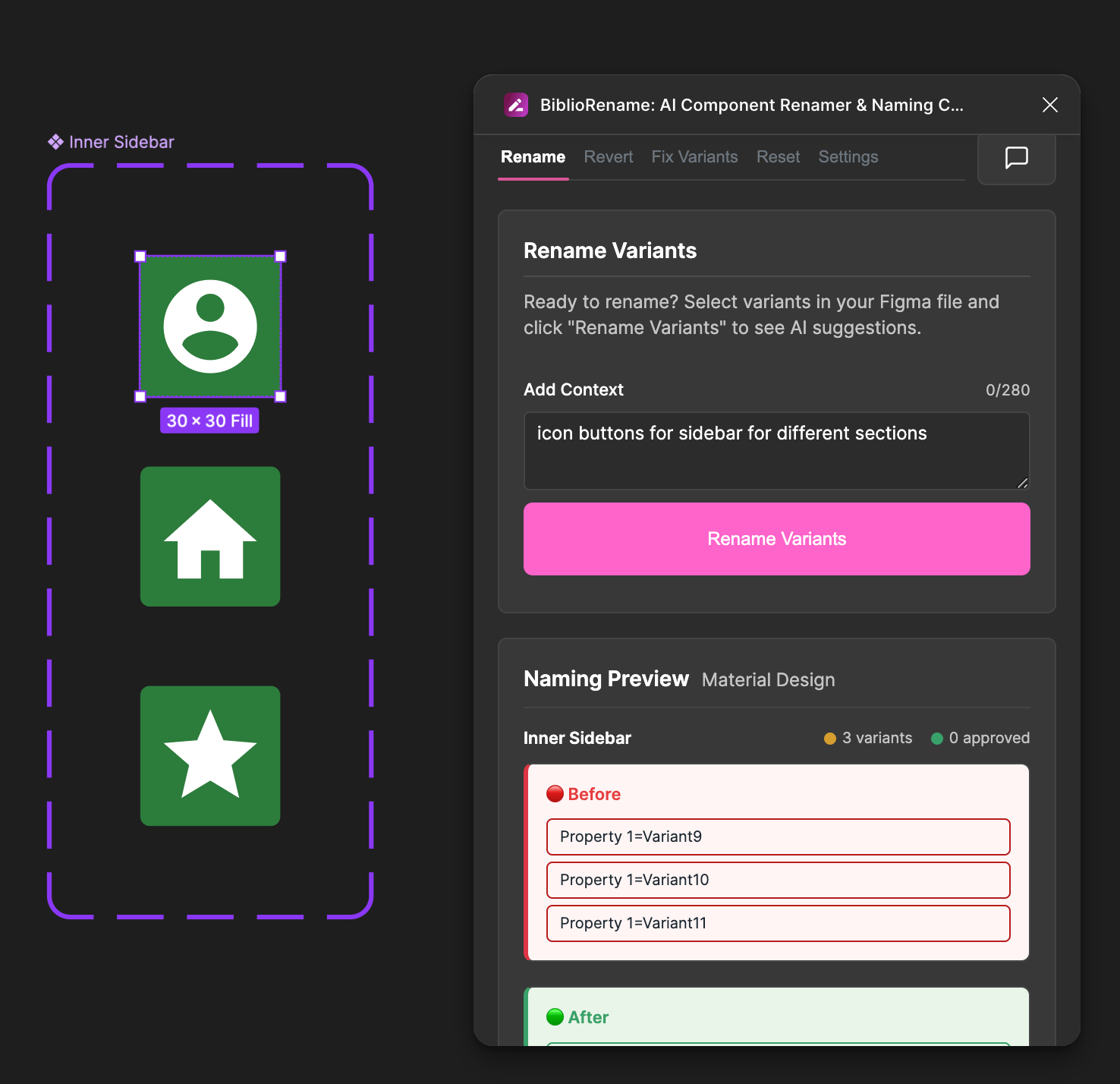
Typical Result: 12 Hours Reclaimed / Week
BiblioRename Demo: Batch-Rename Figma Variants in Seconds
GIF: Run Audit -> List Issues -> One-Click Rename
Before/After: Variant List
Renamed 84 variants in 22s
Before/After: Layer Names
CamelCase enforced
Health Score Export
Seen onDesignOps AssemblyFigma Community
Three steps to order.
1
Step 1: Select Component & Click Audit
Intelligent Analysis
Select a component set. The plugin analyzes structure, Figma limits, and property optimization opportunities.
2
Step 2: Review Suggestions (Before/After)
AI Recommendations
Receive context-aware renaming suggestions and structural improvements based on architectural best practices.
3
Step 3: Apply & Log
Coordinated Application
Apply changes with atomic validation. Export audit logs and undo instantly if needed.
AI-Powered Renaming & Optimization
Batch rename variants with GPT-4 architectural awareness. Automatically optimizes properties (Boolean, Instance Swap) to reduce complexity.
- Smart batching
- Preservation of overrides
Screenshot: Batch Rename Modal & Time Estimate
Figma Architecture Intelligence
Deep understanding of Figma 2025 constraints. Validates limits (4 properties, 28 values) and structural health in real-time.
Screenshot: Hint Input Field & AI Analysis
Canonical Naming & Structural Validation
Enforce semantic naming standards (CamelCase, Kebab-case) and validate component health against design system best practices.
Screenshot: Naming Convention Dropdown
Advanced Change Management
Atomic transactions with override protection. Preview every change impact and revert instantly with a full audit log.
Screenshot: Diff List & Undo Button
Deep Layer Cleaning
Clean up internal layer names (Frame 422 → IconContainer) to ensure code-ready exports.
Screenshot: Layer Cleaning Example
Trusted by teams cleaning up debt.
Startup Component Library
Problem: Prototype token leaks.
Result: Renamed 120 variants in 5 mins.
Before: Messy List
After: Clean List
Mid-Stage Design System
Problem: Inconsistent layer names.
Result: Health score +28 points.
Before: Low Score
After: High Score
Level up your design system.
Start with 8 free credits and erase variant naming debt in minutes.
Start fixing — 8 free creditsAudit Snapshot Preview
Audit Complete
"Reduced handoff bugs by 40%. Exported the health score to show progress to our PM."
LM
Lead Product Designer
Fintech Scaleup
"The audit log saved us. We could revert a bad batch rename instantly."
JS
Design Systems Lead
Enterprise SaaS
"Finally, a way to enforce CamelCase on variants without nagging the team."
AK
Senior Designer
Agency
150+
Issues/Audit
22s
Avg Rename Time
+25
Health Score Delta
Enterprise-grade safety.
Local Execution
Runs inside Figma. No file exports. Reads selection, writes only on approval.
Instant Revert
Native Figma undo support plus a detailed changelog for every run.
Admin Ready
Privacy-first: SSO-ready, least-privilege scopes, no exports—reads selection, writes only when you approve.
Fits your handoff ritual.
Install & Audit
Run on your messiest file. Get a baseline health score.
Share in Slack
Post a 30s Loom of the cleanup to #design-ops.
Health Report
Export the PDF before/after report for stakeholders.
Mock Slack Message: 'Audit Complete' + PDF Attachment
BiblioRename Demo - Batch-Rename Figma Variants in Seconds
Will it change files without my approval?
No. All changes show as suggestions; you approve edits.
Can I undo changes?
Yes. Single-click revert and full audit log export.
Does it access files outside my selection?
No. You choose selection or file scope before any action.
How many free credits do I get?
8 free credits. Each covers an audit of up to 50 components.
Will it conflict with our naming conventions?
No. You set the rules (CamelCase, etc.) and token hints.
Is it safe for prototypes?
Yes. We preserve prototype links and master components.
Stop fixing names by hand.
"Built by a designer who fixed variant chaos after a broken launch."
5.0
★★★★★