





Design System Observability for Figma
Keep your design system
healthy
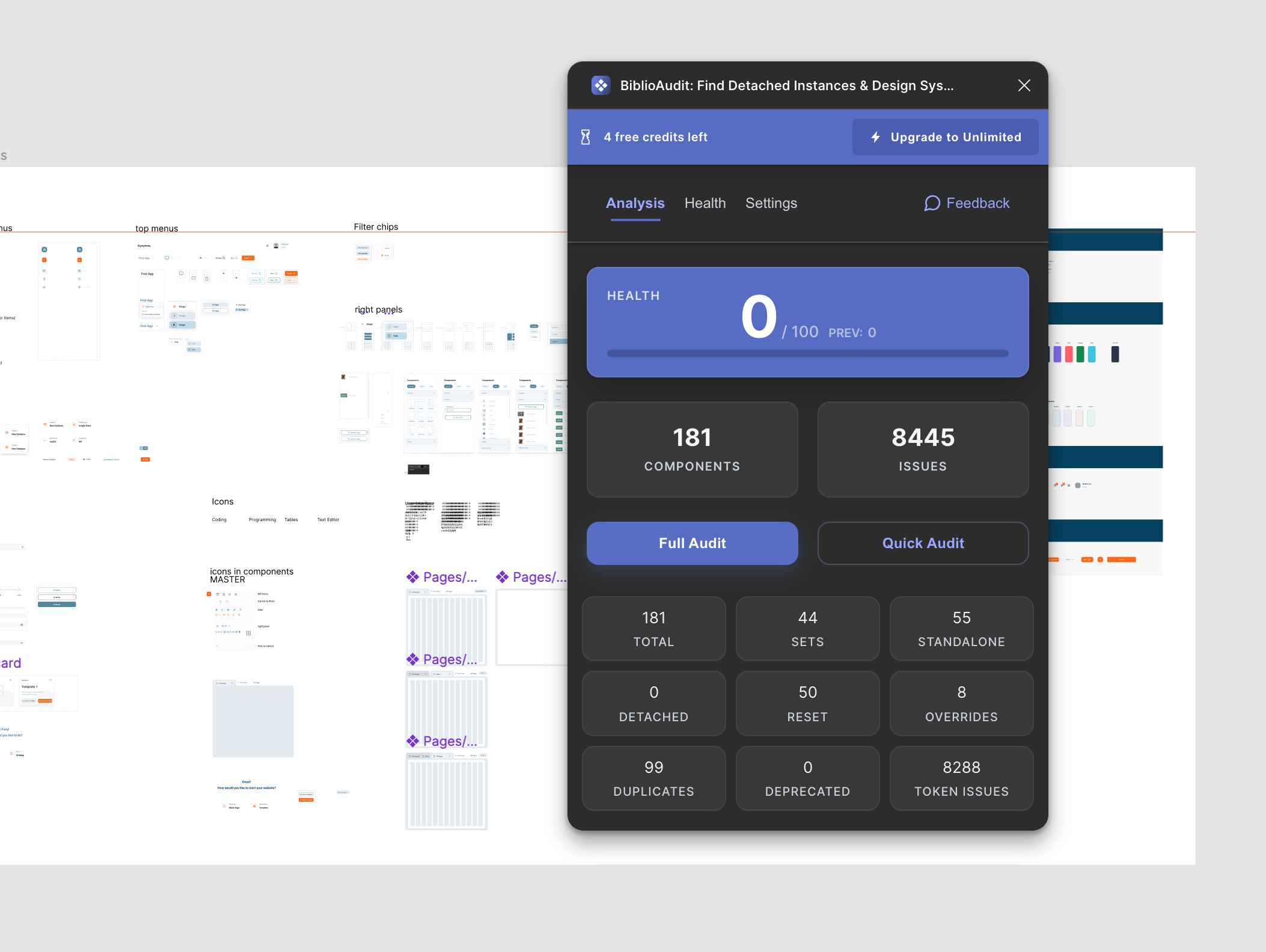
ComponentQA automatically audits your Figma files for component inconsistencies, design token violations, and detached instances. Fix issues before they ship.
- Automated component audits
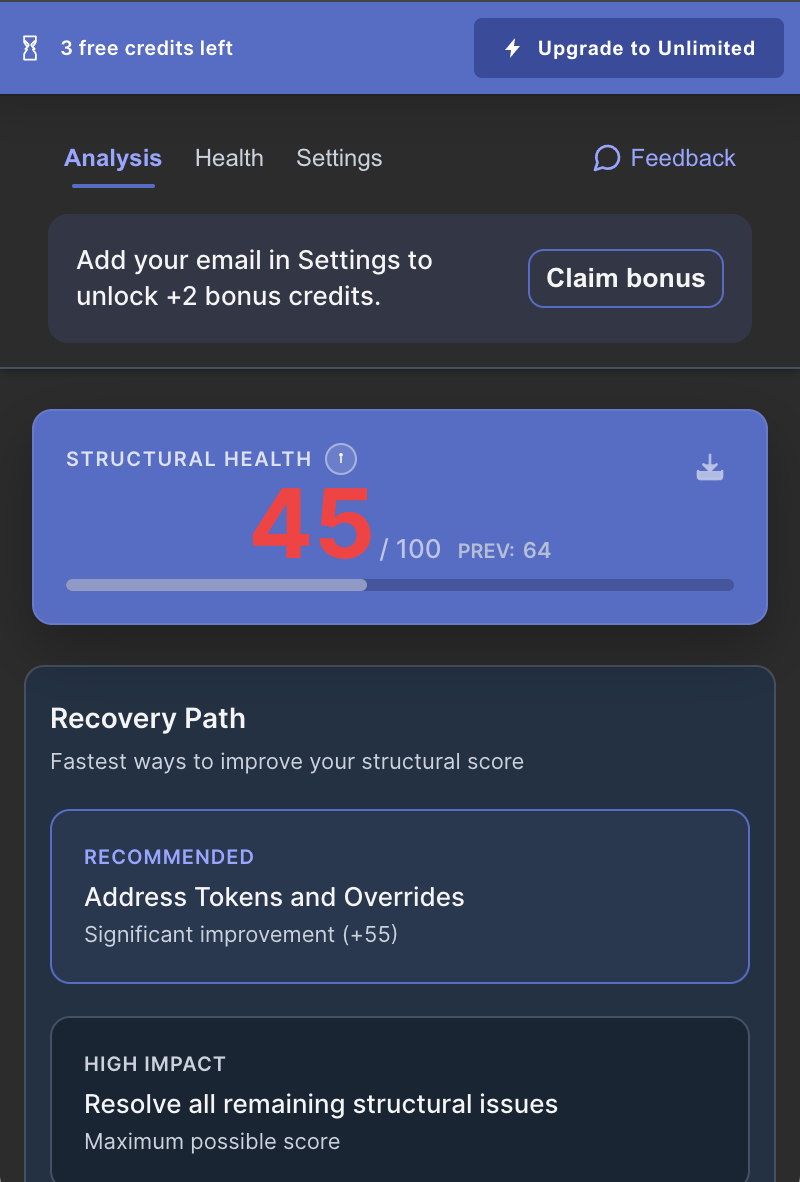
- Real-time observability dashboard
- Figma deep link to issues
Trusted by 500+ design teams worldwide
Runs inside FigmaNo files leave your environmentNo canvas content stored or transmitted
Your design system is leaking.
- Detached instances hiding in production files.
- Hardcoded hex values instead of semantic tokens.
- "Dirty" overrides breaking developer handoff.
The Debt Compound
Every detached component doubles the maintenance cost when you update your library.
"We pushed a rebranding update and realized half our screens didn't change because designers had detached the buttons."
Typical Result: 100% System Compliance
See ComponentQA in Action: Audit & Flag Figma Design Errors
Before/After: Error List
Found 12 detached instances
Token Validation
Flagged 5 hardcoded colors
Audit Report
Trusted byDesign System TeamsQA LeadsDesign OpsProduct DesignersFrontend EngineersBrand Teams
Three steps to compliance.
1
Step 1: Select Scope
Scan Anything
Audit a single selection, a whole page, or the entire file. ComponentQA crawls every layer.
2
Step 2: Review Issues
Identify Drift
See a prioritized list of errors: detached instances, missing styles, and rogue overrides.
3
Step 3: Review Issues
Guided Review
Click to locate each issue and jump to the exact layer for review.
Design System Operations
Everything you need to maintain design quality
ComponentQA combines powerful automation with actionable insights to keep your design system consistent and healthy.
01Audit Engine
Automated Audits
Scan your entire Figma library for detached instances, duplicates, and inconsistent overrides automatically.
02Token Integrity
Design Token Violations
Catch hardcoded colors, incorrect spacing, and typography that doesn't match your design tokens.
03Health Analytics
Observability Dashboard
Full observability into your design system health with trends, alerts, and severity-weighted scoring.
04Direct Navigation
Figma Deep Links
Jump directly to problematic components in Figma with one click. Fix issues where they live.
05Proactive Monitoring
Real-time Alerts
Get notified when health scores drop or new critical issues appear. Stay ahead of design debt.
06Performance
Instant Results
Run audits quickly. Our optimized scanning handles files with thousands of components.
Quality Assurance on Autopilot.
Design Handoff QA
Problem: Devs find inconsistent hex codes.
Result: 100% token usage.
Before: Random Hexes
After: Token Names
Library Migration
Problem: Legacy buttons left behind.
Result: All instances updated.
Before: Mixed Versions
After: Unified Library
Pricing that scales with your system
Start free, move to team workflows, and validate value with a transparent ROI model.
Free
Free
Try every core feature free for 14 days.
- Free 14-day trial
- Core component scan
- Detached instance checks
- Broken component checks
- Community support
RECOMMENDED
Pro
$16/month
For continuous design file quality checks.
- 1 license included
- Unlimited audits
- 24/7 monitoring for design files
- Full issue detection coverage
- Detached, broken, and override checks
- Token reset and missing-variable checks
- Exportable audit reports
- Priority support
- Team collaboration workspace
Team
$60/month
For growing teams with all Pro features included.
- All Pro features included
- 5 licenses included
- 24/7 monitoring for design files
- Unlimited audits and reporting
- Priority support
Scaling beyond 5 seats?
Get volume pricing, centralized billing, and rollout support tailored to your team.
Share your seat count and launch timeline, and we will send a recommended plan with a quote within 1 business day.
Talk to usROI Estimator
Model annual savings from reducing manual QA and rework.
Estimated Annual Impact
Current manual QA cost$78,000
ComponentQA annual subscription$1,440
Time-value recaptured (70% reduction)$54,600
Estimated net annual savings
$53,160
36.9x
Estimated ROI
Assumption model: A 10-designer team spending 2 hours weekly on QA at $75/hour, with a 70% QA reduction, and a best-fit mix of Pro seats ($16) plus Team licenses ($60 for 5), yields 36.9x ROI in year one.
Audit your file in seconds.
Install ComponentQA and catch errors before your developers do.
Try ComponentQA FreeComponentQA Plugin Icon
Audit Passed
Frequently Asked Questions
Does it work with any design system?
Yes. ComponentQA checks against your local styles and enabled libraries.
Does it change my file?
No. ComponentQA surfaces issues and jumps you to the exact layers so you can decide what to update.
Is it safe to run on large files?
Yes. ComponentQA is optimized for performance and handles large files by scanning on demand.
Is ComponentQA free?
ComponentQA offers a free 14-day trial so you can test every core feature. For unlimited audits, 24/7 file monitoring, and full issue coverage, the Pro plan is $16/month. Teams of 5 can use the Team plan at $60/month.
How is this different from Compare with Master in Figma dev mode?
Compare with Master shows what's changed on one instance at a time. ComponentQA scans your entire file and finds all the problems at once: detached components, overrides, broken instances. It's like spell-check for your whole document vs. looking at one word.
How does it handle component swaps?
The swap itself gets flagged. When you swap ComponentA → ComponentB, the plugin sees that as an override which is listed.
How to Use ComponentQA
Step-by-step guides for common workflows
ComponentQA
How to Find Detached Instances in Figma
Detached instances break your design system and create inconsistency
Read guide
ComponentQA
How to Audit Your Design System in Figma
Design system drift happens silently and compounds over time
Read guide
ComponentQA
How to Find Missing Components in Figma
Missing component references break your designs silently
Read guide
Ship perfect files.
Catch broken tokens, inconsistent spacing, and detached styles before they reach developers.
Need to clean up prototype links too? Remove prototype links with BiblioClean